enemy no.04 · kaijū fileworking POC
AI agents,conductedin a chat.
SinfonIA turns a prompt into a pipeline of AI agents. No code, no diagrams to decipher: you say what you need and the orchestra sits down to play.
- date
- 2025
- role
- Product designer
- client
- A global leader
the idea
Everyone wants a team of AI agents. Nobody wants to wire one. In SinfonIA, you just talk.
Prompt Spaghetti
“Just call the API.” 400 lines later…
boss stats
- 80%can’t visualize AI workflows without a developerour research
- 64%say tools are too fragmented or technicalour research
who it’s for
Two experts. Zero patience.
Same canvas, opposite ways of thinking.
A prompt, or an edit mode.

Alessia C.
Gen X, enterprise leadWon’t wait for a dev cycle.
Let me test a workflow without digging through JSON.
Waiting for nobody

Davide M.
Gen X, solution architectWon’t give up control.
The tool should follow how I think.
Checking everything
the process
From notes to a graph.
01 · research
Sit next to them
Interviews and field observation, plus a map of the competition.
- 35
- people interviewed
- 8
- platforms analysed
02 · synthesis
Quotes into insights
Interview quotes, clustered until the insights showed.
03 · wireframe
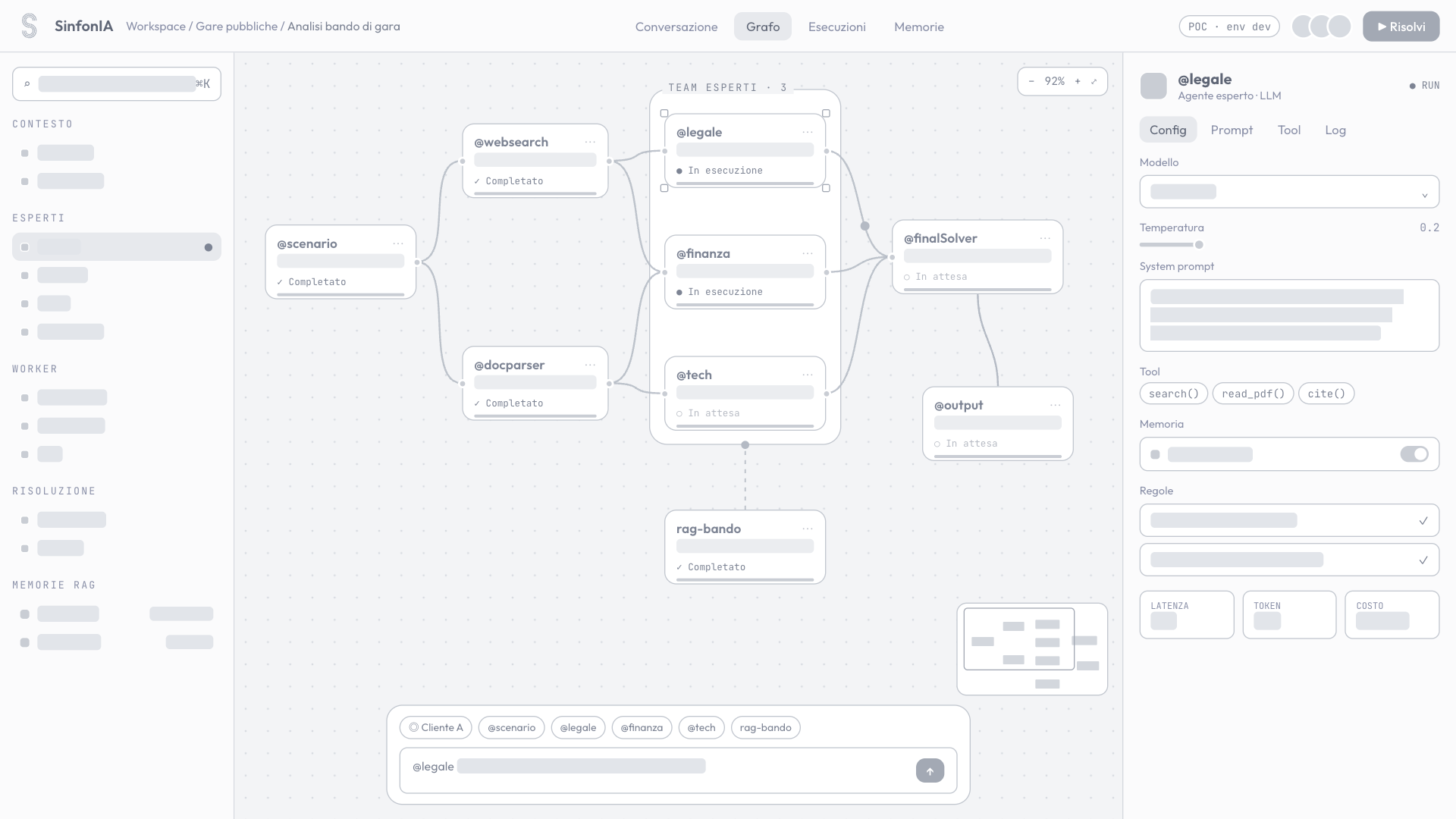
Four zones, one canvas
The workspace had to hold a graph and a chat without either one getting in the way.
 1234
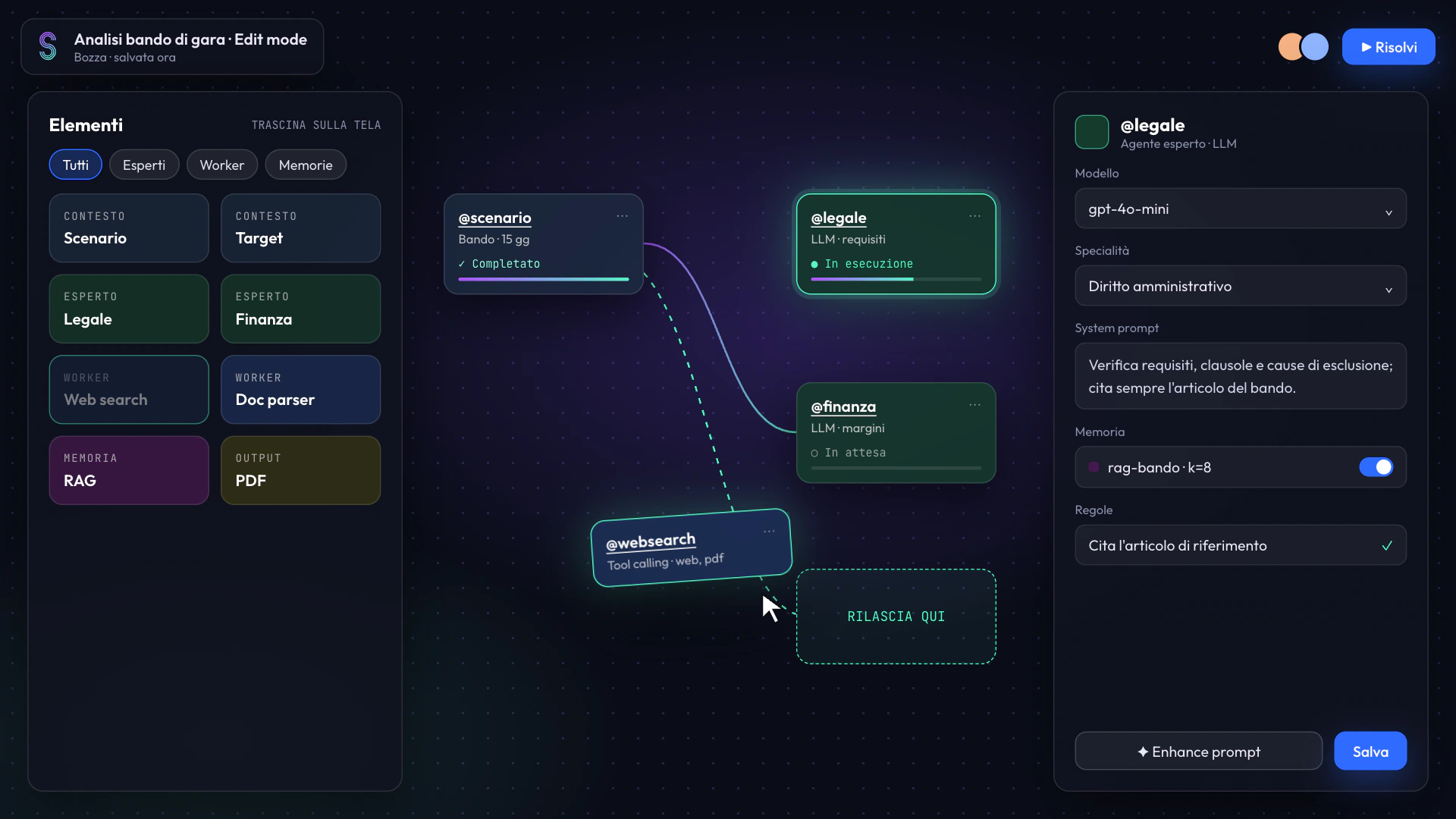
- Catalogue Every agent you can add.
- The graph The pipeline, always in view.
- Inspector Model, prompt and rules per node.
- Prompt bar Talk to the AI, or to one agent.
04 · test
Watch it go wrong
Usability tests on the path from chat request to canvas.
the product
From prompt to answer.
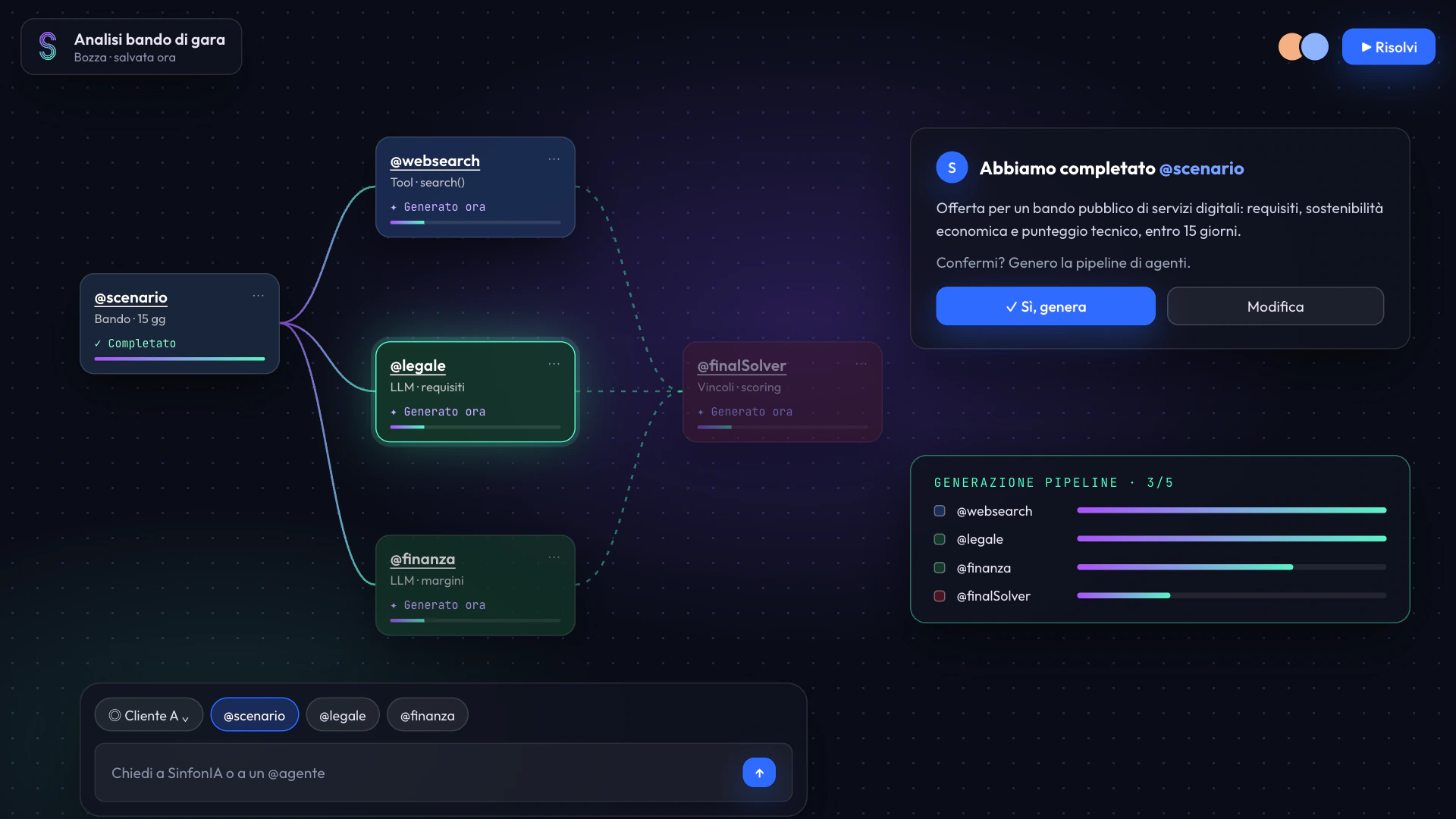
Converse
(write a prompt, pick a client)
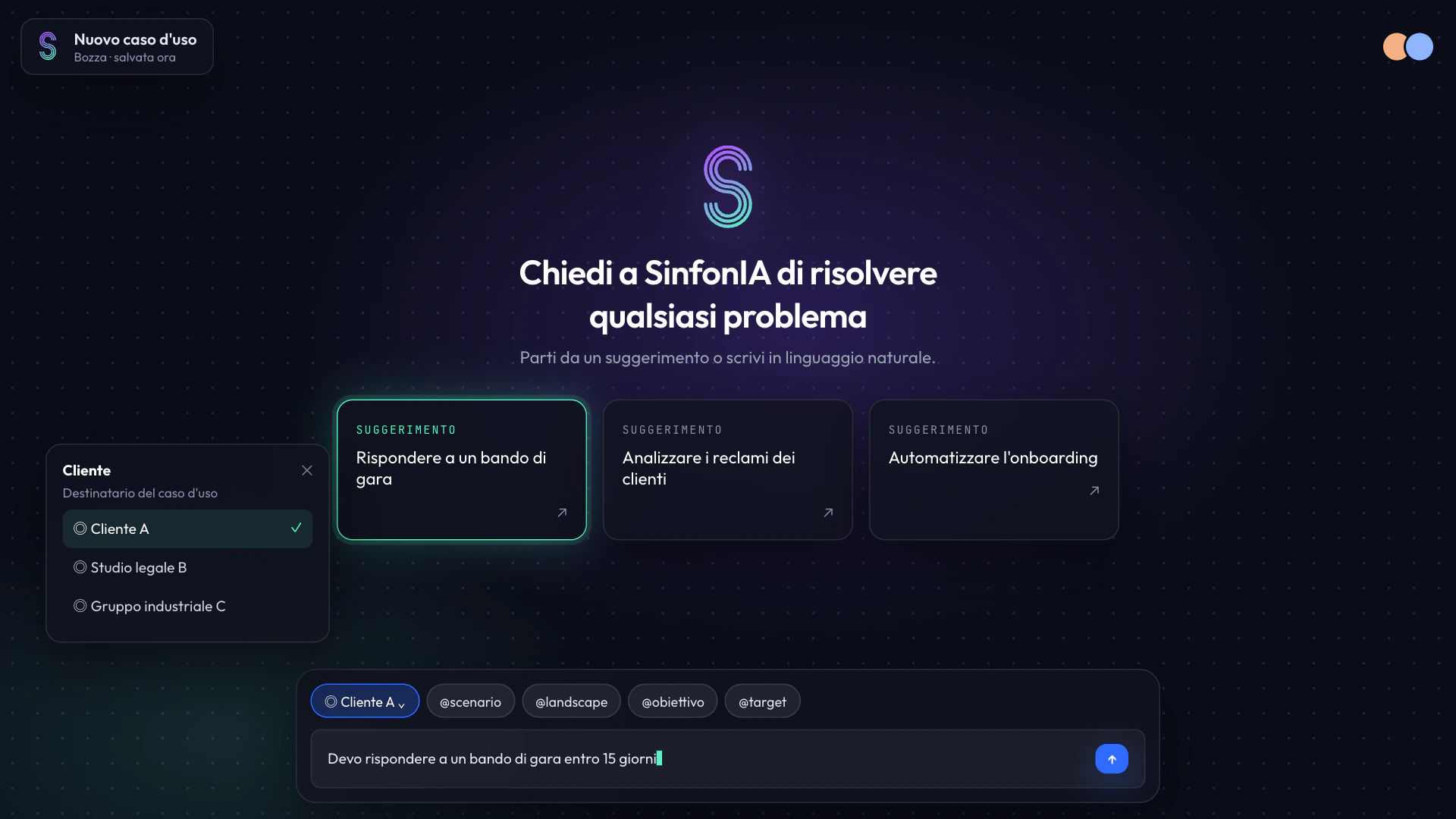
Generate
(experts, workers and solver appear)
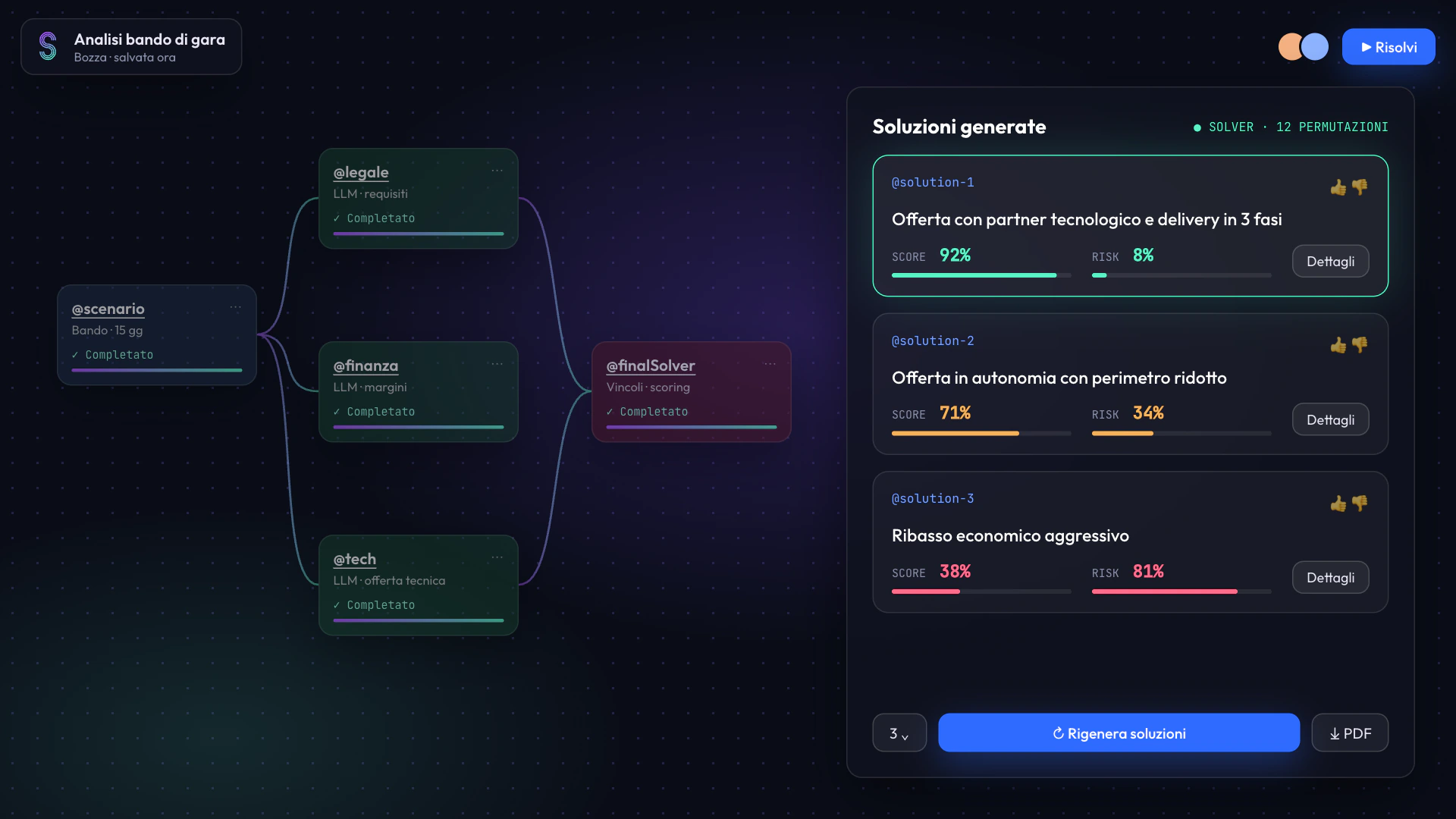
Solve
(solutions with score and risk)
Modify
(drag, drop, rewrite the rules)
the demo
The whole orchestra, live.
ux decisions
Small calls, kept human.
@ talks to anyone
Write to the AI or to a single agent, like tagging a colleague in a chat.
The AI asks first
It notices what’s missing from the scenario and asks, instead of guessing and hoping.
No answer without a risk
Every solution shows its risk factors, not only a score.
try it
Pick an agent.
under the hood
From prompt to deliverable.
architecture
A real POC, end to end
Frontend, backend and AI engine, integrated.
the run
Not a Figma trick
Tool calling, retrieval, agents and scoring, running for real.
the brand
Three ribbons, one flow.
Agents in one pipeline. Violet and mint for what’s active, blue for actions, one node for every agent.
AI power, SinfonIA simplicity.
aftermath
From a prompt to a pipeline.
An enterprise team builds multi-agent flows by chatting, then edits them on a canvas.
Every agent is one node.
Experts, workers and the solver share one shape, so a whole pipeline reads at a glance.
A score needs a risk.
Each solution shows both, so nobody has to trust a number alone.